 Interval
Better practice between lessons
A daily practice journal for whatever you play, with a metronome, drone and tuner a tap away.
Also on the App Store for iPhone and iPad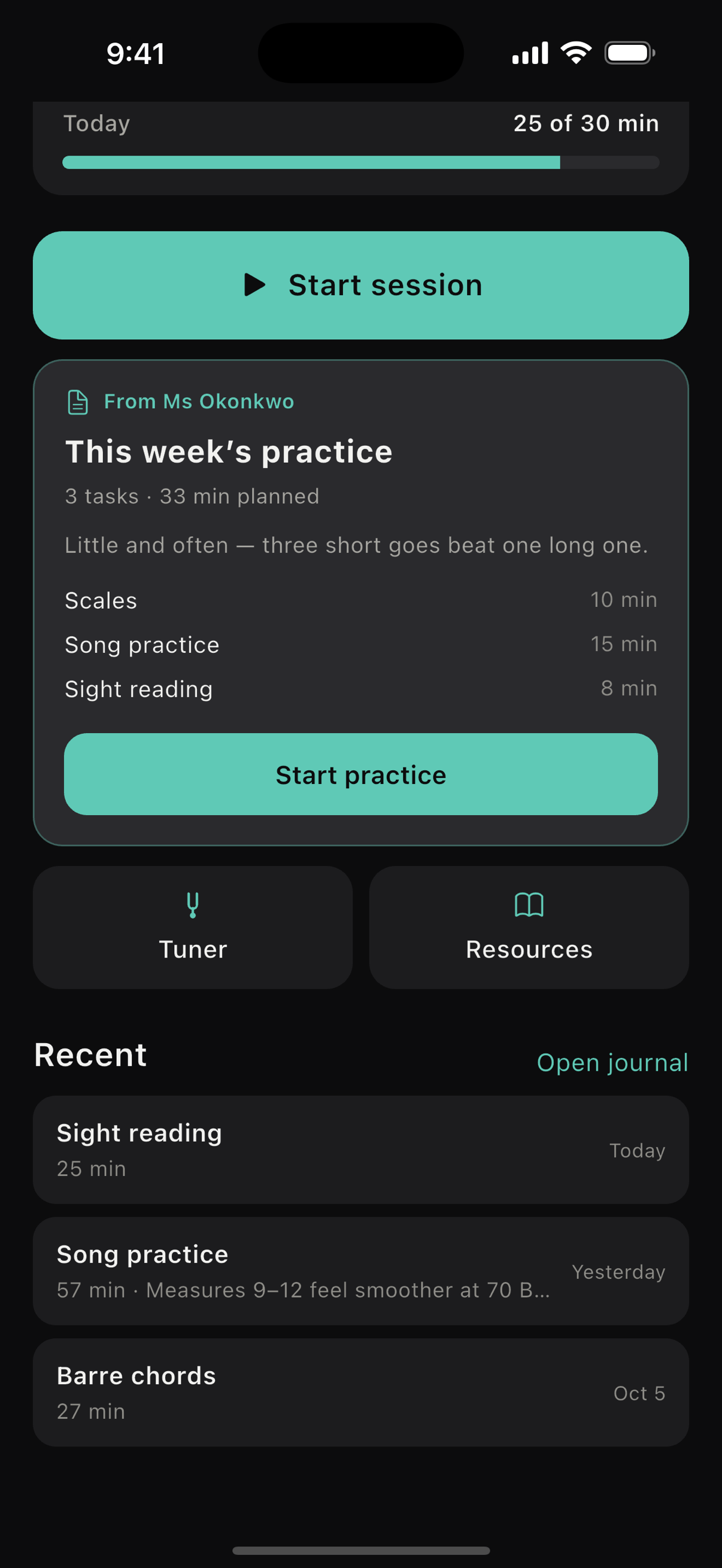
Never stop to find a tool
Start a session and the timer runs. Pick your instrument once, and the tools that suit it are a tap away without leaving.
One screen for the whole session
The time against today's goal, and every tool along the bottom.

Metronome
Four click sounds, and a volume of its own, separate from your phone's.
Drone
A steady note in any of the twelve keys, to play your scales against.
Notes and voice memos
Write down or record an idea the moment you have it. It stays with the session it came from.
Tune to anything you play in
A dial that waits for the string to settle instead of twitching around it. It taps you when the note lands, so you can watch your hands.
- Standard
- Drop D
- DADGAD
- Open G
- Open D
- Half step down
- Full step down
- Bass
- Ukulele
The bass tuner reaches down to the low E, a note a guitar tuner cannot hear.

Scales, chords and theory
Scales along the neck in any key, a shape for every chord, and theory written for people teaching themselves.
Every chord shape is checked against the notes it sounds. Guitar and bass only, with no keyboard diagrams or sheet music.

A year of practice, one square a day
A streak that does not shame you, and a year that fills in as you play. Miss a week and you lose the streak, never the history.

Your practice stays yours
No account to make, no analytics, no ads. Unless you connect to a teacher, there is no Interval server for your practice to go to.
On your phone
Your sessions, notes and recordings live on the device.
Copied to your iCloud
So a lost phone does not cost you your history. Recordings are never included, and it switches off in one tap.
Or in a browser
No install and nothing to sign up for. Practice is saved in that browser, so use the iPhone app to keep a year of it.
With a teacher
They see when you played and for how long. What you write stays with you unless you share it.
What your teacher set this week
If your teacher uses Interval, the week's practice is waiting when you open the app: a few tasks, a time on each, and a line about what to listen for.
Tap start and you are in the usual session screen. Each task keeps its own time, and it all goes into your journal by itself, so your teacher sees the time without you having to tell them.

For teachers
Set the week, then see what happened
Assign each student a short routine from your dashboard, or from your phone between lessons. Their practice shows up on your roster, with whoever has played least at the top.
You see when they played and for how long. Their notes stay on their phone unless they share one, and their recordings never leave it.
Every student gets the full app while you are paying.