For music teachers
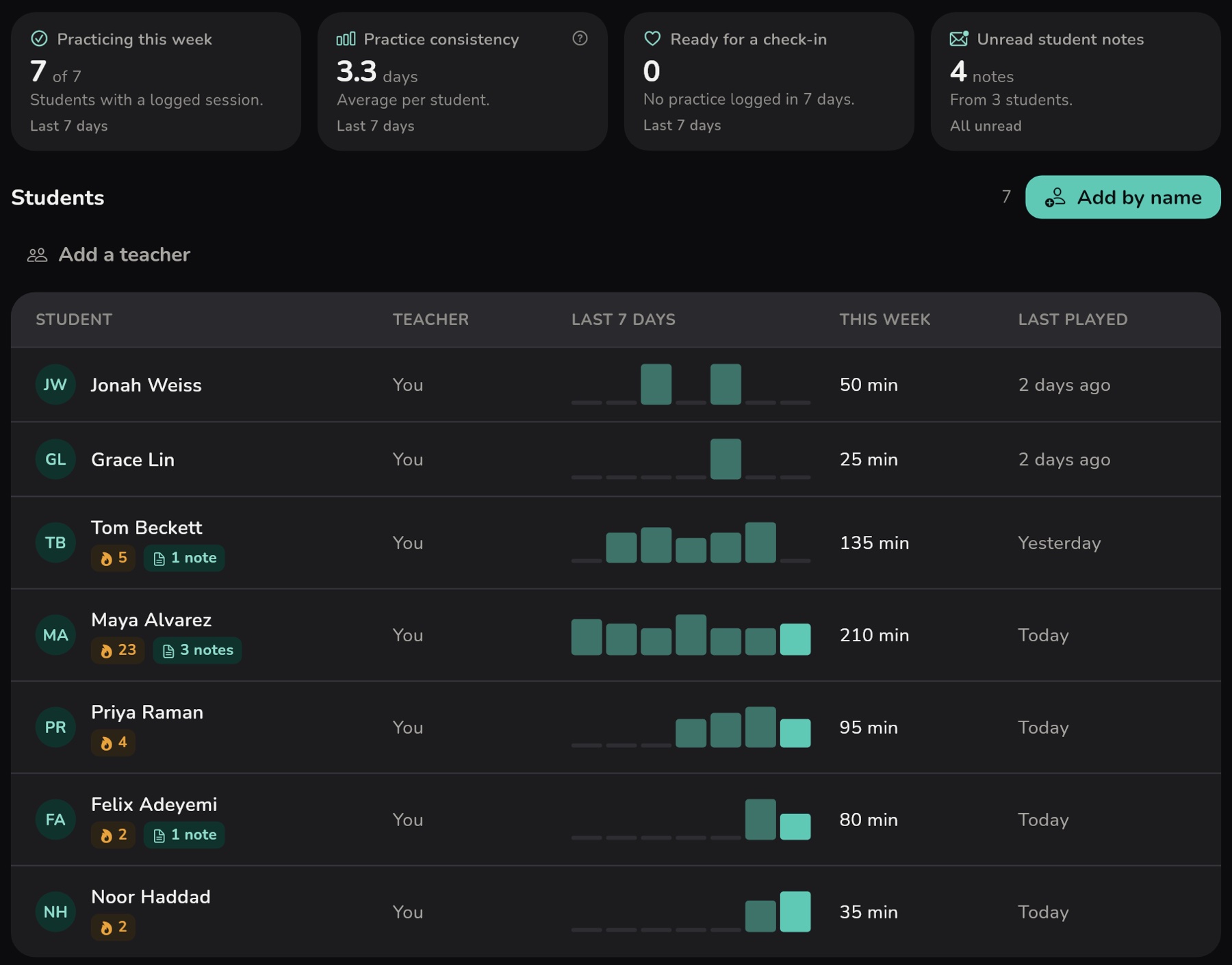
Every student's practice. One clear dashboard.
Give students a practice plan and follow their progress, all in one place.
 The Interval app
What your students practice with. Free on iPhone, iPad and the web.
The Interval app
What your students practice with. Free on iPhone, iPad and the web.
Know what happens between lessons
Give students a clear practice plan, follow their progress, and begin every lesson with useful context.

Walk into lessons prepared
Review recent practice, assignment progress and shared notes before your student arrives.
Turn advice into action
Give students clear, timed assignments so they know what to practice and for how long.
Know who needs encouragement
Notice changes in logged practice, and support students when they lose momentum.
See where they get stuck
Read the notes students choose to share while the details are still fresh.
Ready for the next lesson in four steps
Invite
Connect with a student using a six-digit code.
Assign
Choose practice tasks and set a time goal for each.
Practice
Students follow your plan with a timer for each task.
Review
See their recorded practice and completed tasks before the next lesson.
Clear practice for them. A clearer picture for you.
Students get a weekly plan with timed tasks and practice tools built in. Their sessions save by themselves, so you see the time on each task before the next lesson.
See the student app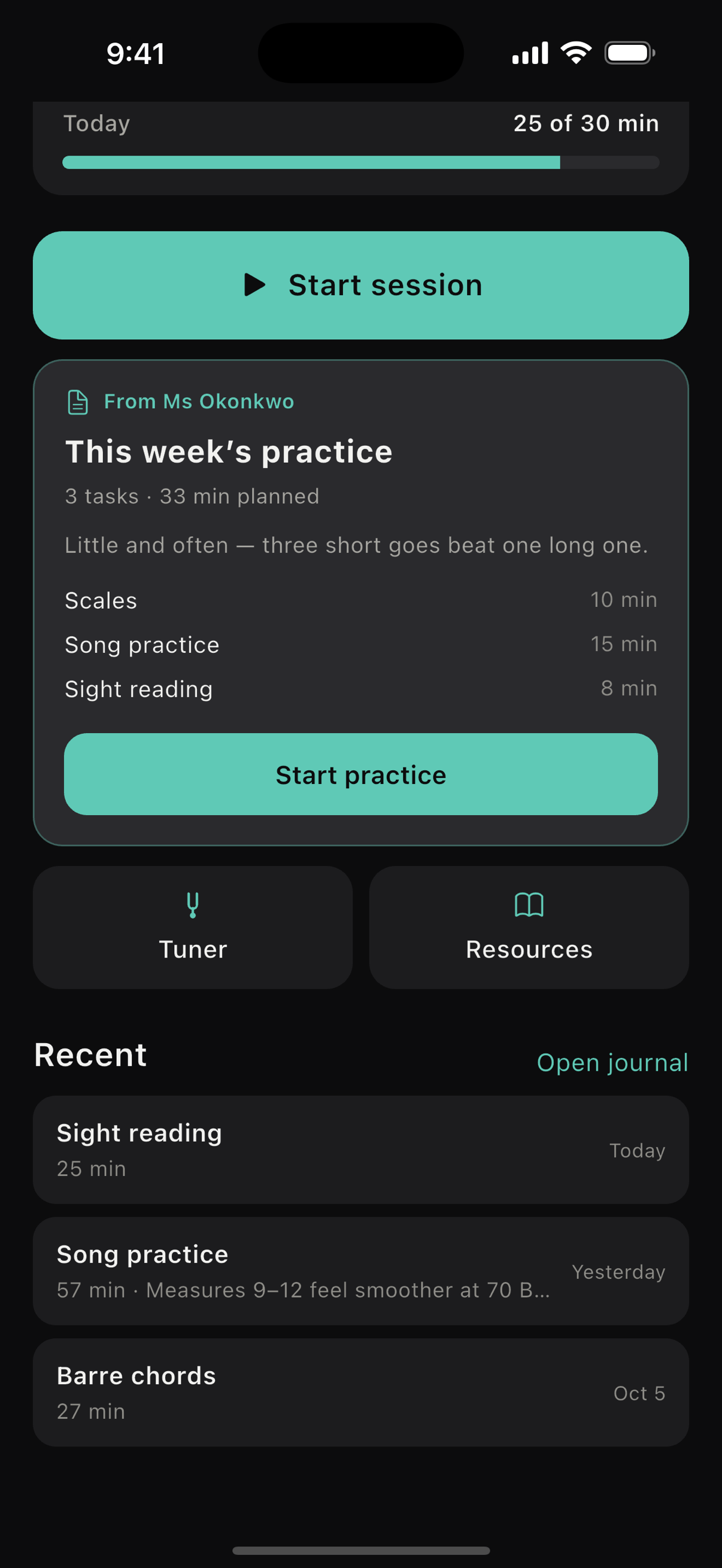


A simple plan for your teaching
Free
For trying it with your first students.
$0/month
Free while you have 3 students or fewer
Start free- Up to 3 active students
- A week of practice at a glance
- Notes your students choose to send
- Free student access
Teacher
For a full book of students of your own.
$15/month
$19
Billed $180 once a year, saves $48
Choose Teacher- Up to 40 active students
- Everything in Free
- Your whole studio on one page
- Spot students with no recent practice logs
- Cancel whenever you like
Studio
For music schools and teams of teachers.
$48/month
$60
Billed $576 once a year, saves $144
Choose Studio- Unlimited teacher accounts
- Unlimited active students
- Everything in Teacher
- One subscription for your studio
Every student gets the full app while you are paying.
Questions
Do my students have to pay?
No. Students use Interval for free.
Can I try it with just a few students?
Yes. Your free plan includes up to 3 active students. Invitations only count toward your limit once students join.
How is practice tracked?
Students use the built-in timer to log sessions and can add notes about their practice. You see recorded time and what they mark complete. Interval doesn't verify playing, and unlogged practice won't appear on your dashboard.
Does Interval work with any instrument?
Yes. Assignments, practice tracking, notes and the metronome work with any instrument. Guitar, bass and ukulele also have instrument-specific tools. Piano-specific tools, keyboard diagrams and sheet music aren't currently included.
What can I see of my students' practice?
When they played, for how long, and what they marked complete. Their written notes stay on their phone unless they choose to share one, and their recordings never leave it. The privacy page has the full list.
Make the next lesson count
Create your free dashboard and invite your first students.